
01
Add your business details
Enter your GSTIN, address, logo, and bank or UPI details once. They appear on every invoice.
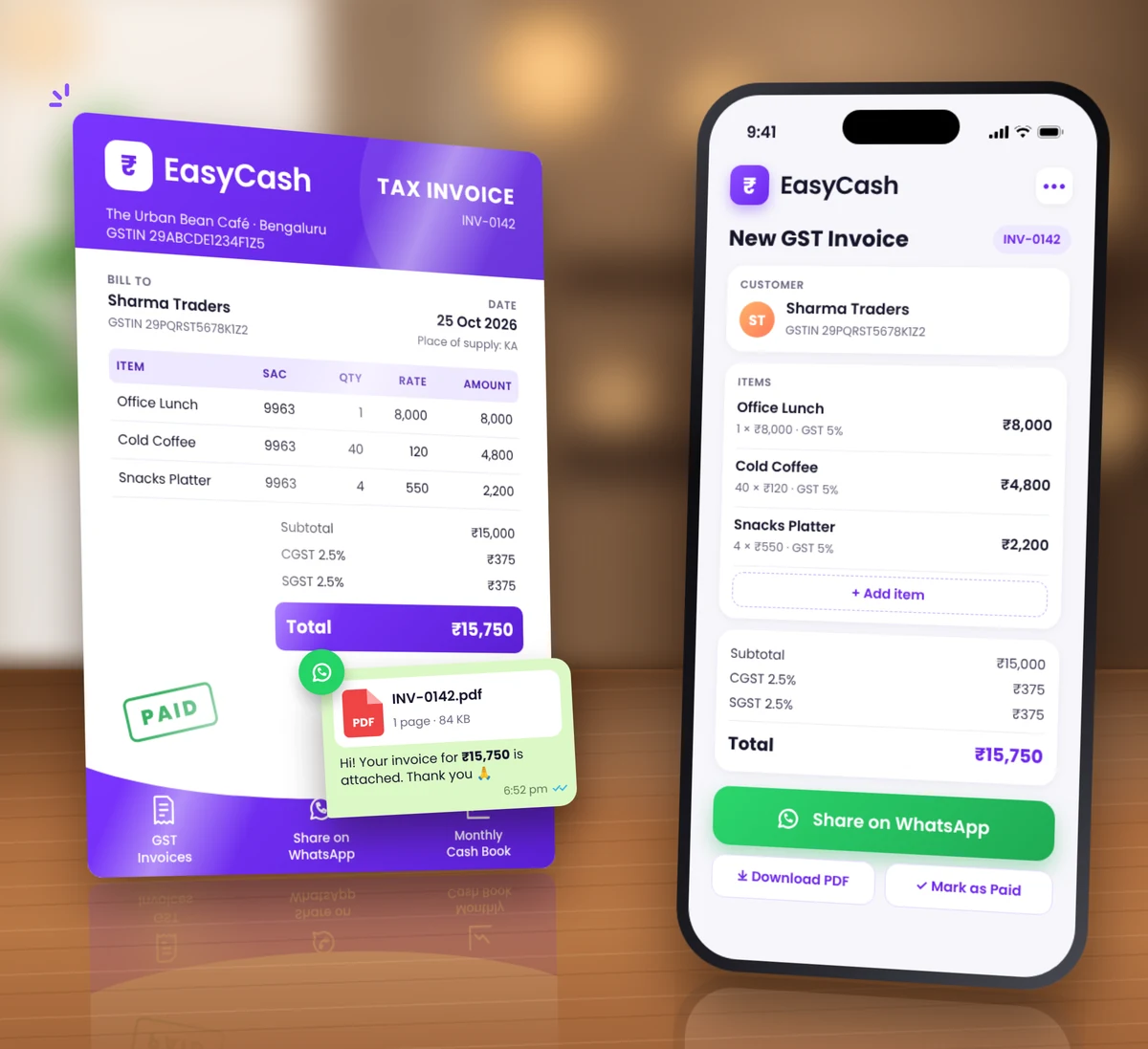
Make a GST invoice in a minute and share it on WhatsApp. Record income and expenses as they happen, and see money in, money out, and net for every month.
Free · GST invoices included
EasyCash
01
Enter your GSTIN, address, logo, and bank or UPI details once. They appear on every invoice.
02
Pick a customer, add items, and EasyCash adds the GST. Print it, save a PDF, or send it on WhatsApp.
03
Record payments and the day’s expenses. EasyCash shows money in, money out, and net for each month.
EasyCash
GST invoices, income and expenses, and your monthly net.
Tax invoices, bills of supply, or plain invoices. CGST and SGST, or IGST, worked out from your state and your customer’s, with HSN/SAC codes and discounts.
Every invoice carries your logo, GSTIN, and bank or UPI details, and numbers itself for the financial year.
Add the whole day’s expenses in one go, with who you paid and how. Invoice payments land in income on their own.
Money in, money out, and net for every month and since you started, plus what customers still owe you.
EasyCash
Free · GST invoices included
Common questions about EasyCash.
Each product has its own page and plan.
Add your business details in the EasyReview app, then create a GST invoice and share it on WhatsApp.
Free · GST invoices included
 Chat on WhatsApp